Trigger WhatsApp Messages from Shopify Flow
SuperLemon Team
3 min read

- +90% open rate on WhatsApp
- Recover abandoned carts automatically
- Send Broadcast Campaigns
Most WhatsApp automation tools only respond to order events. Cart abandoned — send a message. Order shipped — send a message. That covers the basics, but your store generates a lot more signal than that. A customer just hit 500 loyalty points. Someone placed their tenth order. A buyer hasn't come back in two months. These moments have always been hard to act on via WhatsApp.
Superlemon is now a native action in Shopify Flow, which changes that. Any trigger in Flow can send a WhatsApp message through Superlemon — using your approved templates, to the relevant customer, automatically.
Any Shopify event. Any third-party app.
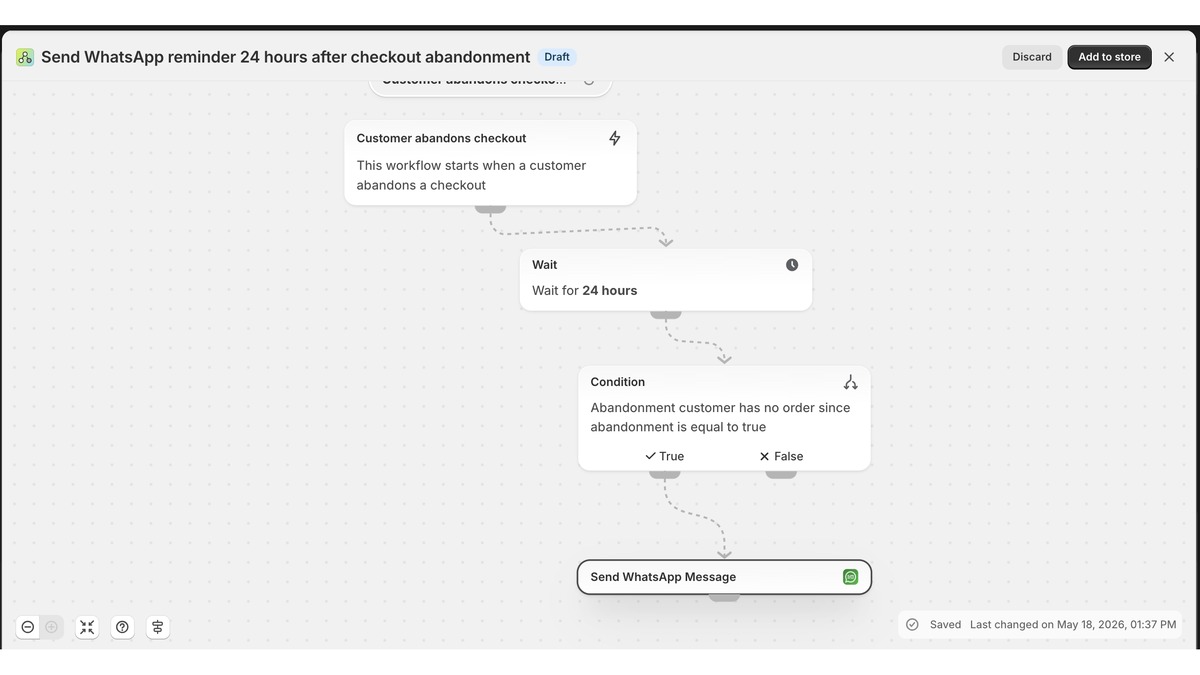
Shopify Flow isn't limited to native Shopify events. Apps that support Flow — including Judge.me, Klaviyo, most loyalty platforms, and a long list of others — publish their own triggers into the Flow builder. Those triggers now work with Superlemon.
A customer posts a 5-star review on Judge.me: Flow detects it, Superlemon sends a WhatsApp thank-you with a discount code. Klaviyo marks a customer as lapsed: Superlemon sends a re-engagement message. A loyalty app promotes someone to Gold tier: they get a WhatsApp message with their exclusive offer within minutes.
None of this needs a direct integration between Superlemon and each individual app. Shopify Flow is the connection layer. If an app supports Flow triggers, Superlemon can act on them.
Set it up with Shopify Sidekick
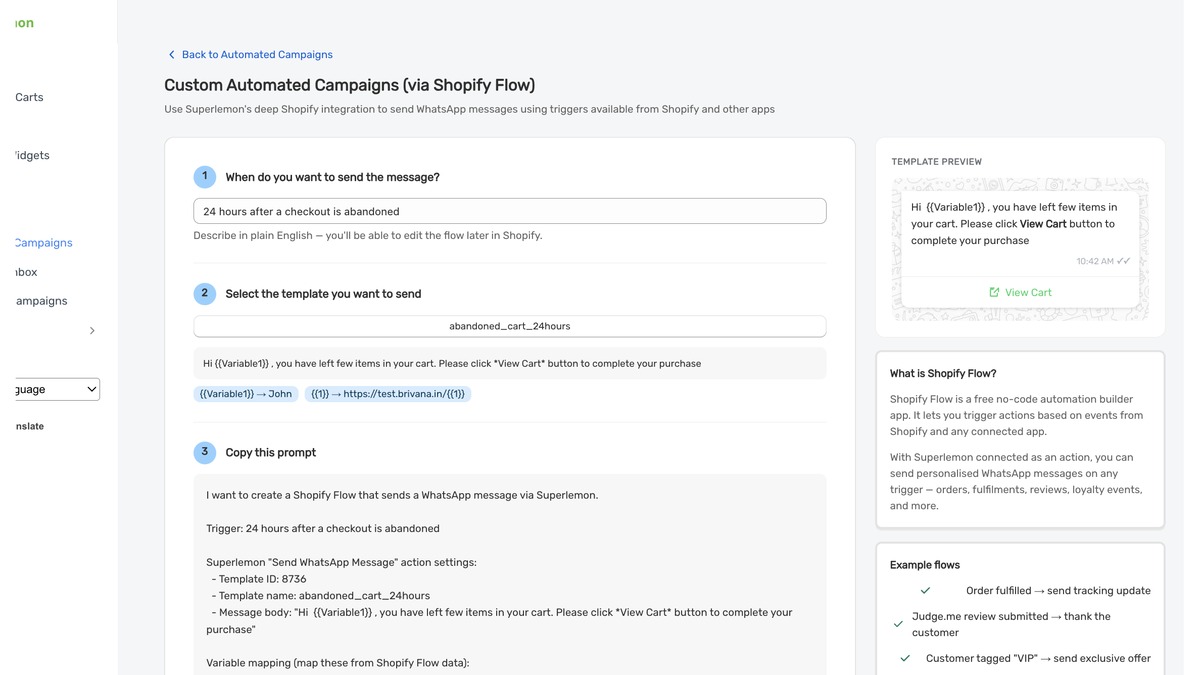
Configuring a Shopify Flow from scratch takes time — you need to know the builder, pick the right trigger, wire up the conditions, add the action. Superlemon shortcuts this.
Inside Superlemon, choose the trigger you want to use, the template you want to send, and any conditions to apply. Superlemon generates a setup prompt. Paste that prompt into Shopify Sidekick — Shopify's AI assistant — and it builds the complete Flow with Superlemon already configured as the action. Review it, activate it.
This works for any trigger that Flow supports, including triggers from third-party apps. It means you can connect Superlemon to virtually any app in your Shopify ecosystem without manually setting up each step. A Judge.me review triggers a WhatsApp message. A Klaviyo segment update triggers a WhatsApp message. You just describe what you want and Sidekick builds it.
Getting started
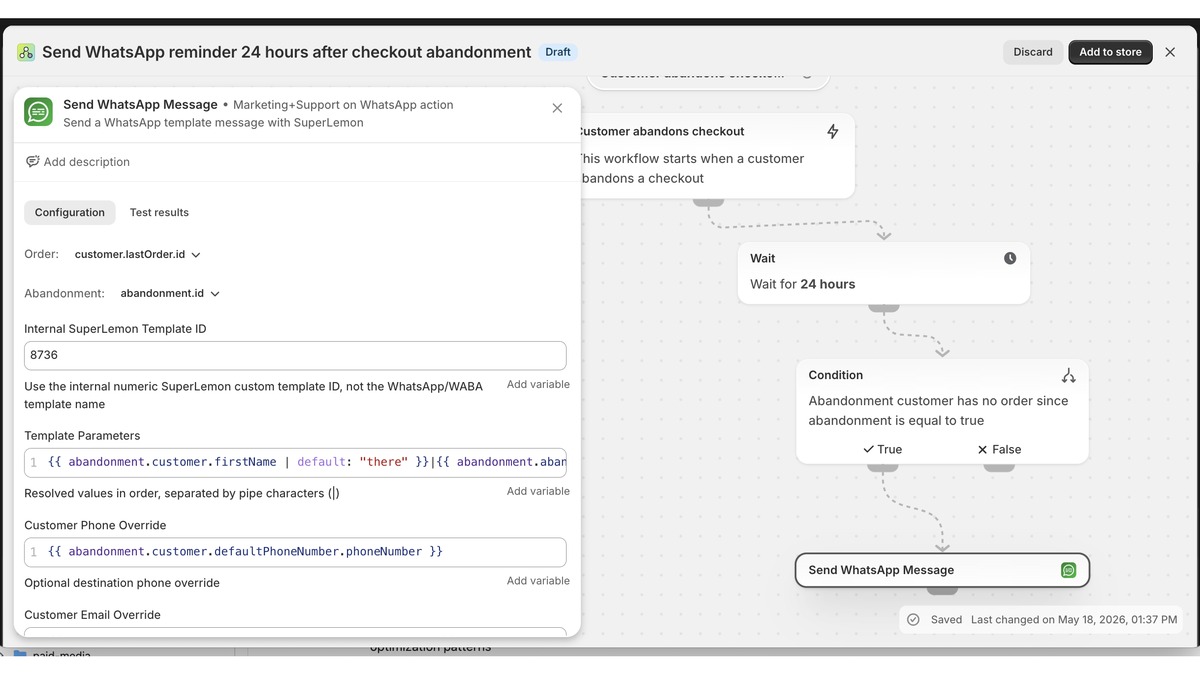
Flow integration is available on the Scale and Brand plans. Messages use your approved WhatsApp templates, and delivery and engagement data appears in the Superlemon Insights tab.
Go to Automation → Shopify Flow in Superlemon to generate your Sidekick prompt or build the Flow manually.