WhatsApp Business App and API on the Same Number
SuperLemon Team
3 min read

- +90% open rate on WhatsApp
- Recover abandoned carts automatically
- Send Broadcast Campaigns
When I got access to the WhatsApp Business API for my own business, roughly eight years ago, the first thing I had to do was uninstall my existing WhatsApp account and delete it. That was the requirement — the API and the WhatsApp Business App couldn't live on the same number.
What I thought I was getting was a supercharged version of what I already had. What I actually got was a trade. I could send automated order confirmations and run marketing campaigns, but I could no longer open WhatsApp and reply to a customer. The channel I'd been using to actually talk to people was just gone.
For the small business I was running at the time, that was the wrong trade. Automation mattered, but the direct line to customers mattered more. I could see the conversations I was missing. I wasn't alone in this — most small merchants who went through API onboarding and discovered what they'd given up either worked around it somehow or handed the access back.
It took a long time, but Meta has finally recognised what its core market actually needs. WhatsApp Coexistence — running the API and the Business App on the same number at the same time — is now available. Superlemon supports it, and we've been looking forward to this one for a while.
What's possible now
With both running together, automated messages go out through your number via the API: abandoned cart reminders, order confirmations, shipment updates. Bulk marketing campaigns to your customers work the same way. And the WhatsApp Business App on your phone keeps working exactly as before — conversations you've built with customers, the way you handle support, none of that changes.
Before coexistence, setting up the API meant the Business App stopped working on that number. Merchants had to uninstall it. For stores where the owner handles customer conversations personally, that was a dealbreaker. Now there's no trade-off to make.
Getting set up
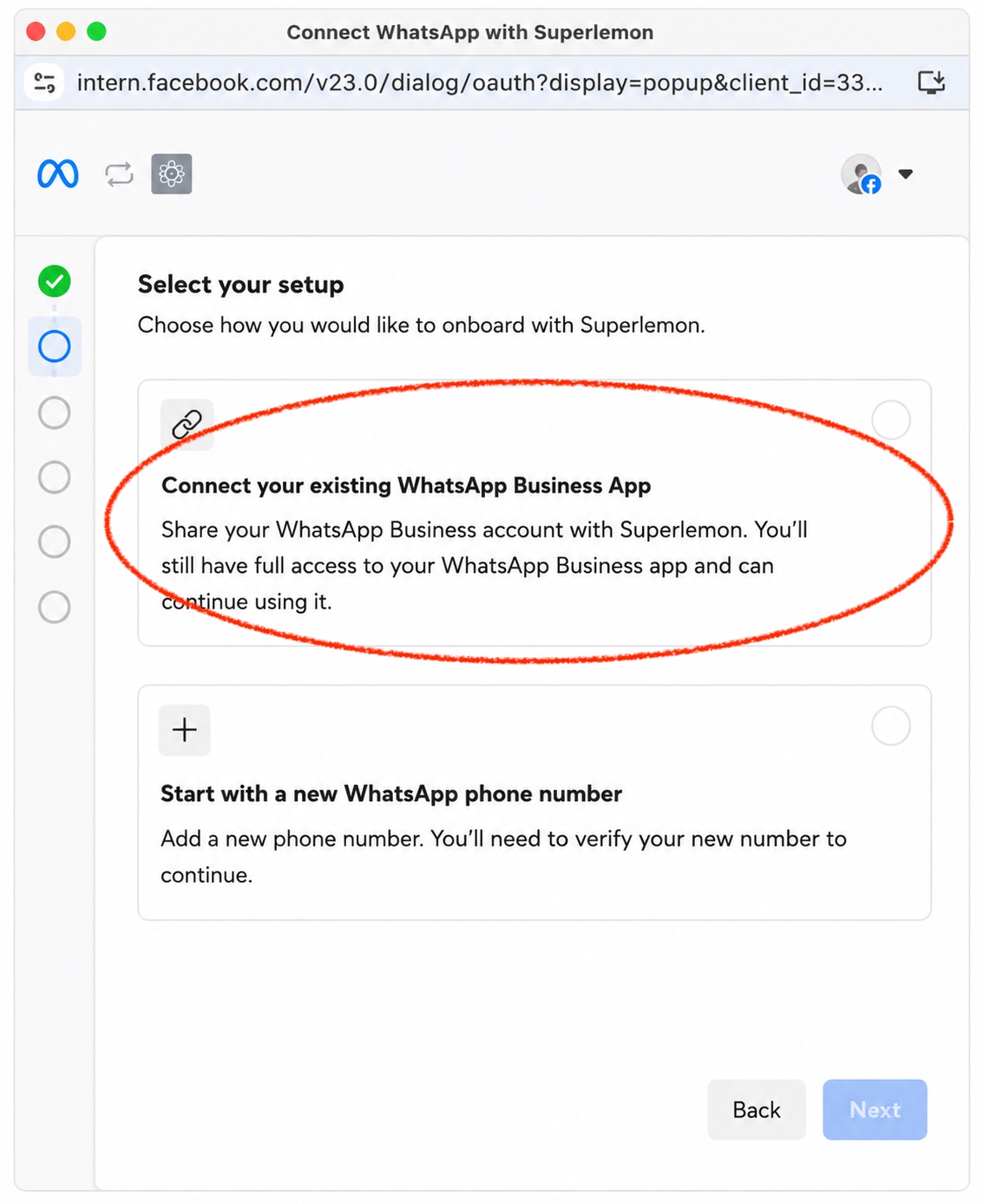
During WhatsApp onboarding in Superlemon, you'll be asked how you want to connect your number. Select Connect your existing Business App — that's what enables coexistence. Your Business App stays registered on the same number; Superlemon runs automations and campaigns through the API alongside it.
Coexistence is available on Brand and Scale plans. If you're already on a paid plan and went through onboarding without enabling it, email support@superlemon.xyz and we'll get it set up.