WhatsApp Inbox: Send Files, Play Voice Notes, See Order History
SuperLemon Team
2 min read

- +90% open rate on WhatsApp
- Recover abandoned carts automatically
- Send Broadcast Campaigns
Three things your WhatsApp inbox can do now that it couldn't before: agents can send images and files from the desktop, incoming photos and voice notes play inline without leaving the conversation, and every conversation has a side panel showing that customer's order history and abandoned carts.
Send Files. See What Customers Send.
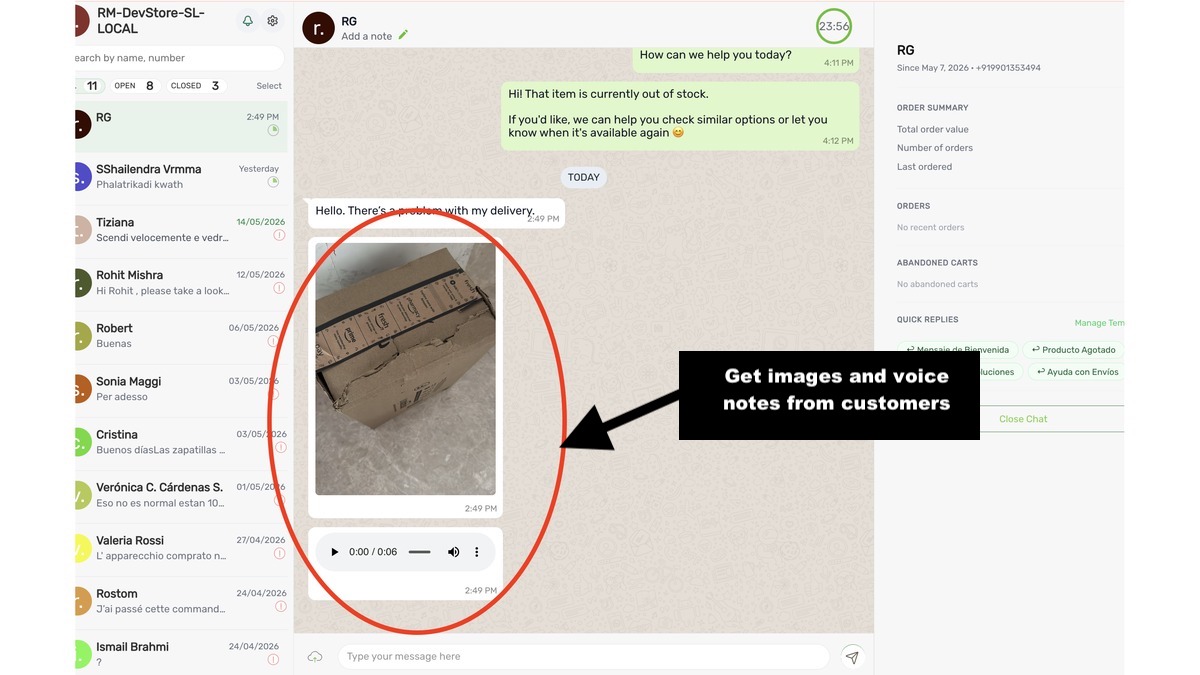
Agents can now attach images, PDFs, and other files when replying from the desktop inbox. Select a file, send it — it lands in the customer's WhatsApp like any attachment from a regular contact.
On the receiving end: photos render inline in the conversation thread. Voice notes show a play button — click it, listen, then reply. No downloading files to your machine, no switching to a separate media player, no scrolling back to find your place.
The voice note change is worth calling out specifically. In India and across the Middle East, a significant share of customer support queries arrive as voice notes. Agents were downloading each one, opening a separate app, listening, coming back to the dashboard, and typing a reply — four steps for every voice message. Now it's one.
Order History, Right There in the Conversation
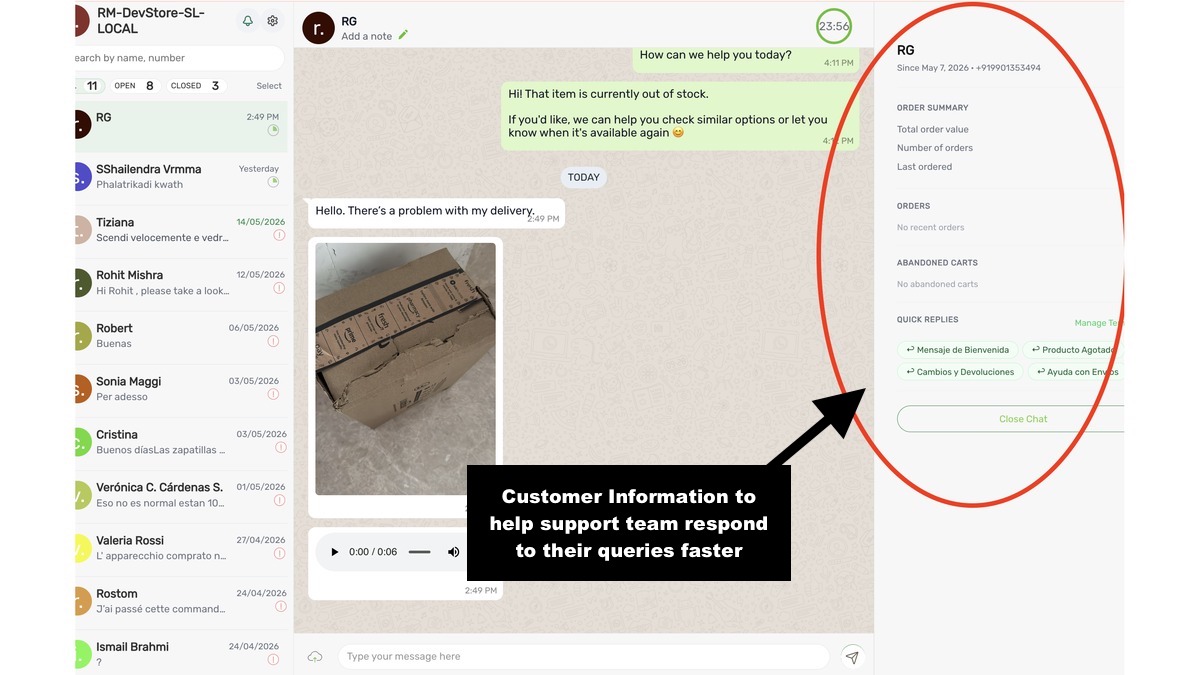
The right side of every conversation now has a customer panel. It shows lifetime order value, number of orders, last order date, recent orders, and any open abandoned carts.
When a customer writes in about a delivery problem, the agent already knows whether this is their first order or their fifteenth — without asking or opening Shopify in another tab. When someone has two abandoned carts, that's visible before the first reply goes out. The panel also surfaces quick replies so agents don't have to hunt through a separate menu for templated responses.
Try it now — open any conversation in the Superlemon inbox. Questions? support@superlemon.xyz