Your WhatsApp Chat Widget Now Speaks Your Customer's Language
SuperLemon Team
2 min read

- +90% open rate on WhatsApp
- Recover abandoned carts automatically
- Send Broadcast Campaigns
Shopify stores that sell in multiple languages have an inconsistency that's hard to fix at the widget level: the product page is in Italian, the checkout is in Italian, but the WhatsApp chat button still says whatever it said when the merchant first set it up. Usually English.
This was a limitation of how Superlemon handled widget text. Every widget had a single set of strings — one greeting, one offline message, one button label — regardless of which language version of the store a customer was browsing. Superlemon now supports per-language widget text, so the chat experience matches the rest of your storefront.
How It Works
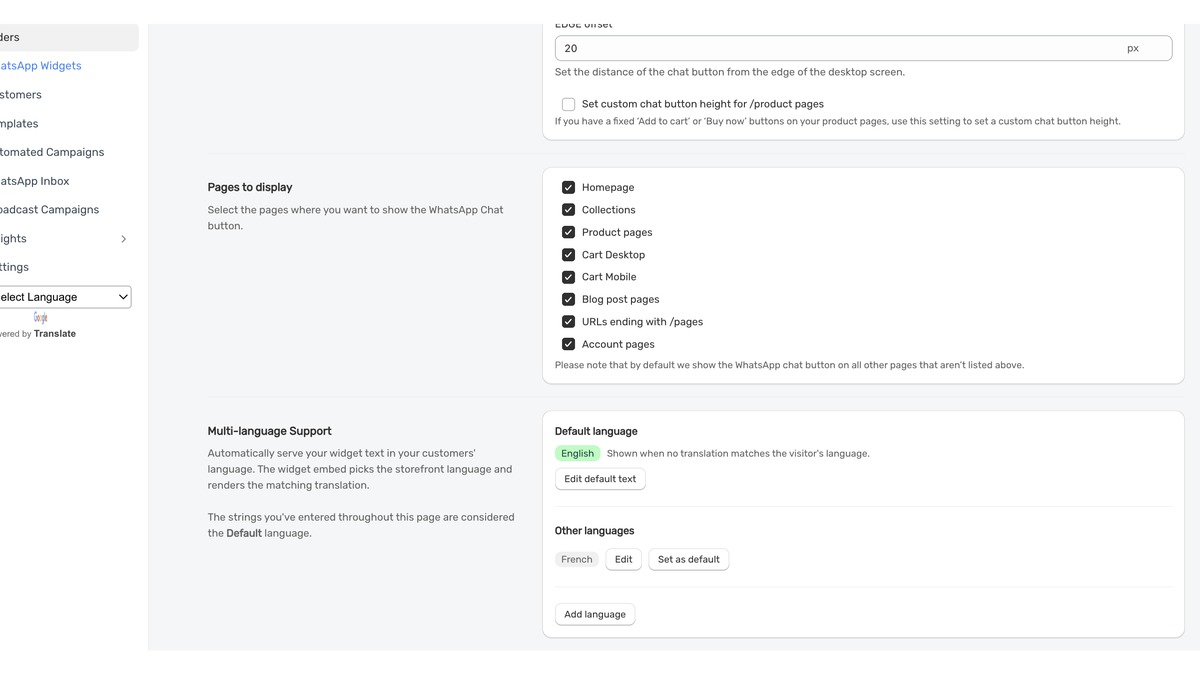
In your Superlemon widget settings, there's now a Multi-language Support section. You set a default language — English, or whichever language your widget is currently written in — and then add translations for each additional language your store supports.
When a customer visits your store, the widget reads which language the storefront is currently serving and shows the matching translation. If you've added a French translation and the customer is on your French storefront, they see French widget text. If the storefront language doesn't match any translation you've configured, the widget falls back to your default. No changes to your Shopify settings or widget embed code are required.
This works with Shopify Markets, Translate & Adapt, and third-party translation apps like Weglot and Langify — anything that sets a standard language on the storefront page.
Adding a Language
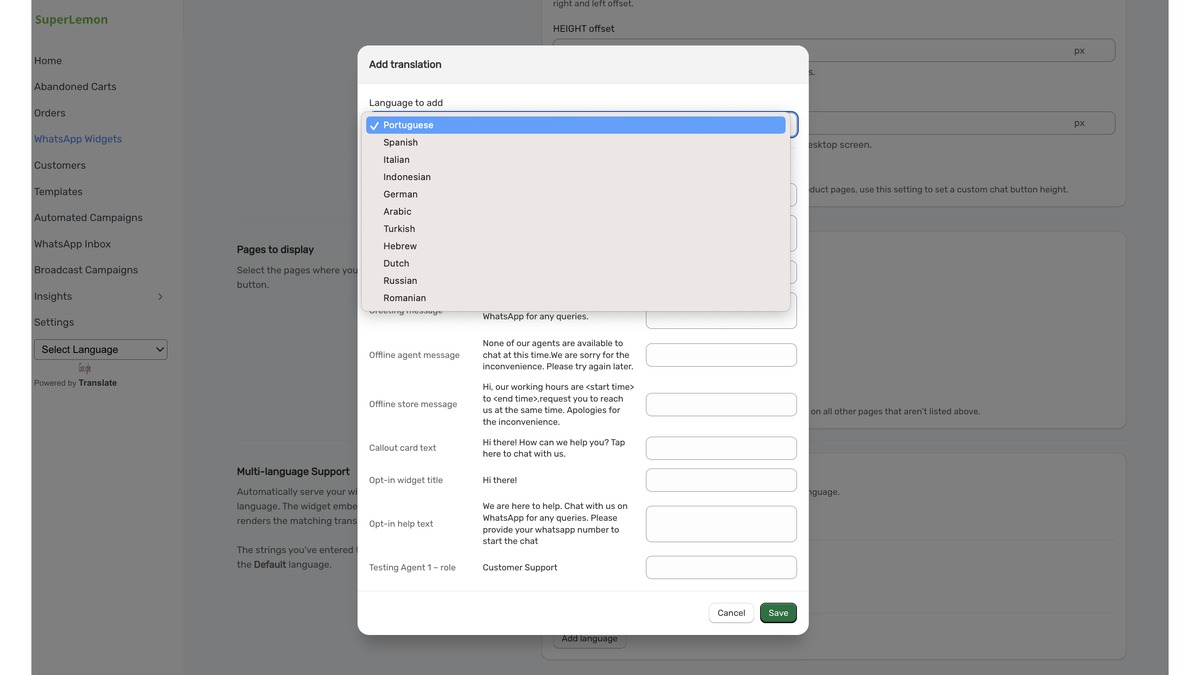
Click Add language in the Multi-language Support section. A modal opens with a language dropdown and the same text fields you filled in for your default widget: greeting message, offline messages, callout card text, opt-in title, and help text. Pick the language, fill in the fields in that language, and save.
Available languages include Portuguese, Spanish, Italian, Indonesian, German, Arabic, Turkish, Hebrew, Dutch, Russian, and Romanian, with more being added.
Your existing widget text is automatically treated as the default — so nothing you've already set up changes. Each additional language you add sits alongside it, and you can edit or remove translations at any time.
This is specifically for stores that already run multi-language storefronts and want the chat widget to be consistent with them. If your store is single-language, nothing changes for you. Questions? support@superlemon.xyz